
Apps you can turn on.
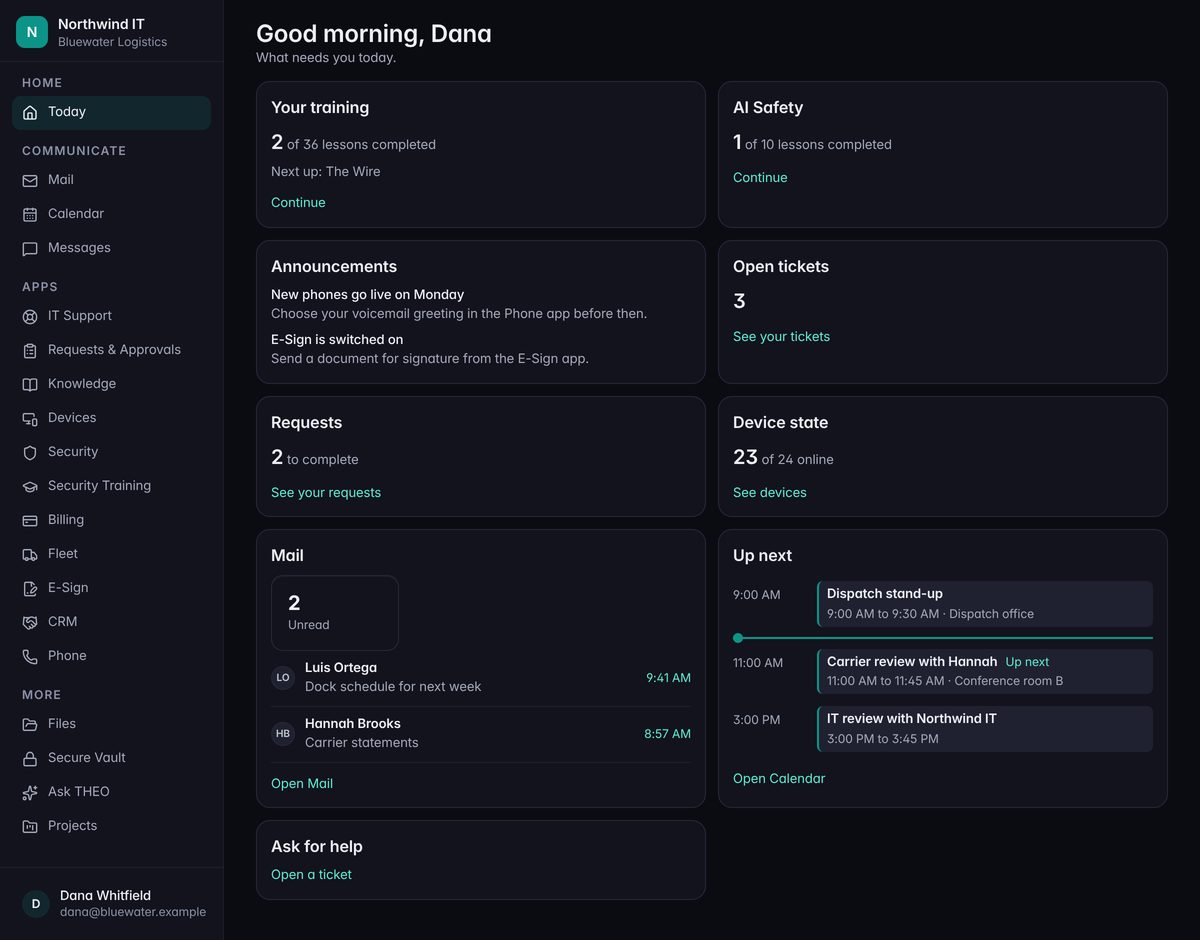
Your Client Portal is more than a place to send a ticket. It can hold the everyday tools a business runs on: a CRM, projects, e-signatures, files, a password vault. Each is available as an add-on. Ask for one, and we switch it on for your company.
The apps
Seven to start with.
They live in one portal, behind one sign-in. Each is available as an add-on, and none of them is included. Each one says what it does, and where it stops.
- Add-on · Rolling outCRM
Your contacts, companies, and deals in one place. A pipeline you can drag deals across, follow-ups that don’t get forgotten, simple reports, and a spreadsheet in or out whenever you like.
It’s a light CRM, on purpose: no quoting, no email sync, no marketing tools.
- Add-on · Rolling outProjects
Boards, lists, and a calendar for your own projects. A task carries an owner, a priority, dates, a checklist, and comments, and a template saves you from setting up the same project twice.
Projects we run for you sit beside yours, to follow and comment on.
- Add-on · Rolling outE-Sign
Upload a PDF, add the people who need to sign, and send. Each person gets a link of their own. You can send a reminder, see where it stands, and download the signed copy.
- Add-on · In pilotFiles
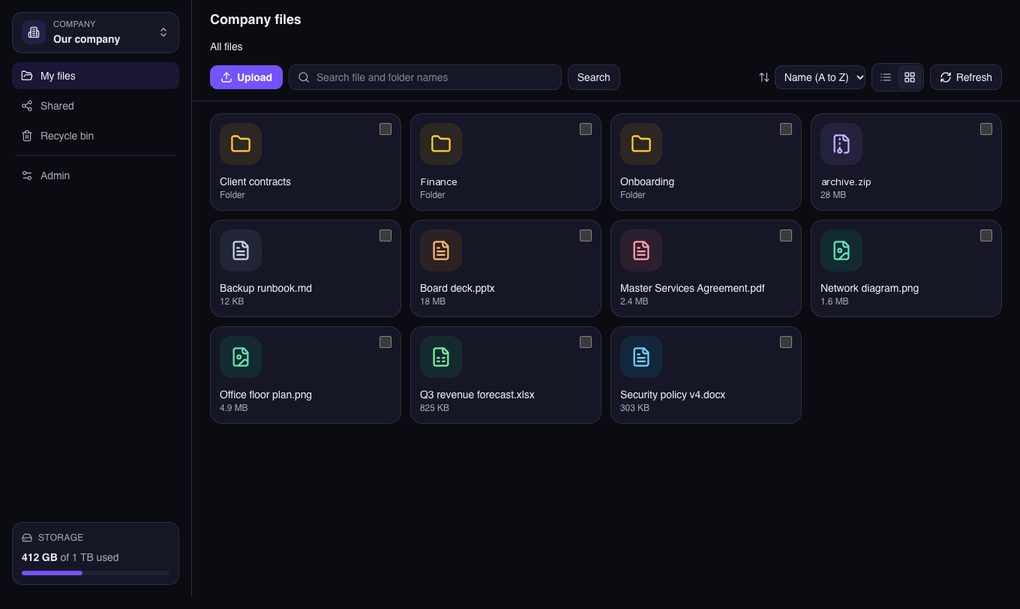
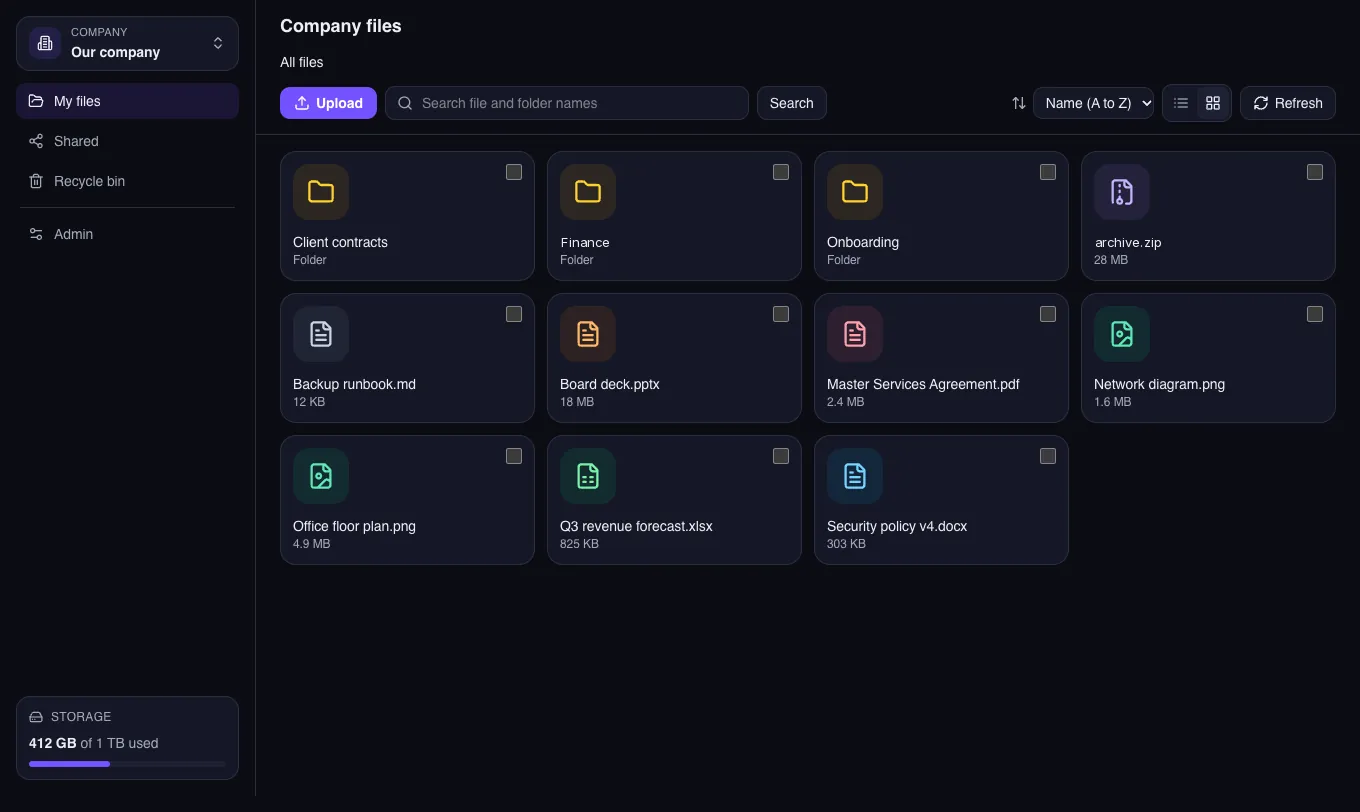
Company files with folders, upload, and sharing. A share link can expire and can carry a password. Earlier versions can be restored, and a deleted file waits in a recycle bin.
- Add-on · Rolling outVault
A place for your staff’s passwords and logins. They’re encrypted at rest, and every time one is revealed, it’s recorded.
We can see that record too. That’s the point: someone can always answer “who opened that?”
- Add-on · Coming soonPortals
A portal with your name on it, for your own customers, subcontractors, and vendors: projects, files, messages, approvals, and a directory. It’s being built for construction first.
- Add-on · Rolling outFleet
Your vehicles, drivers, service, and fuel in one place, with a reminder before a registration, an insurance policy, an inspection, or a driver’s license runs out.
Live GPS location is coming soon.
Every one of these runs in your browser, inside the Client Portal. There’s nothing to install.
On screen
Files, for example.
Folders and documents in a grid, with search, upload, sharing, and a meter that shows how much room is left.
Files is in pilot, so this is a first look and not a finished tour.
How you get one
Ask. We switch it on.
You ask, we tell you what’s involved, and once it’s agreed the add-on appears in your portal.
Ask about an app
From the Apps page in your Client Portal, or by calling us.
We switch it on
For your company, once we’ve agreed it fits.
Your admin picks who gets it
Everyone, one department, or a few people.
It’s in the portal
Same sign-in as everything else.
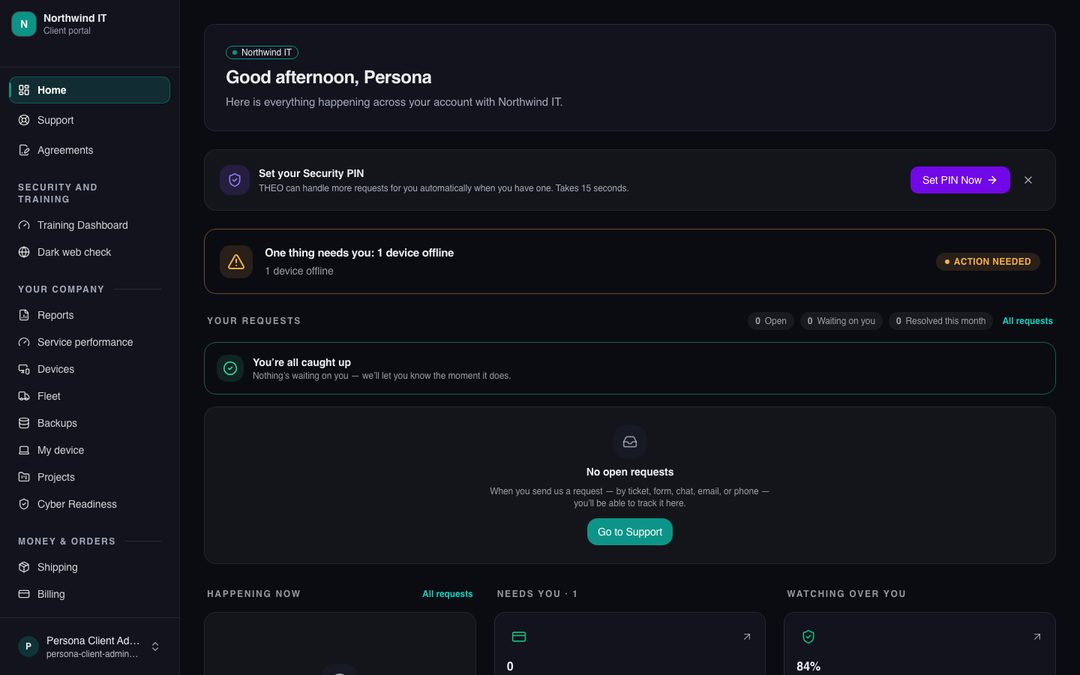
A page that isn’t switched on for you says so: “Not available for your account.” Nothing is broken. Ask us, and we’ll look at it together.
Included
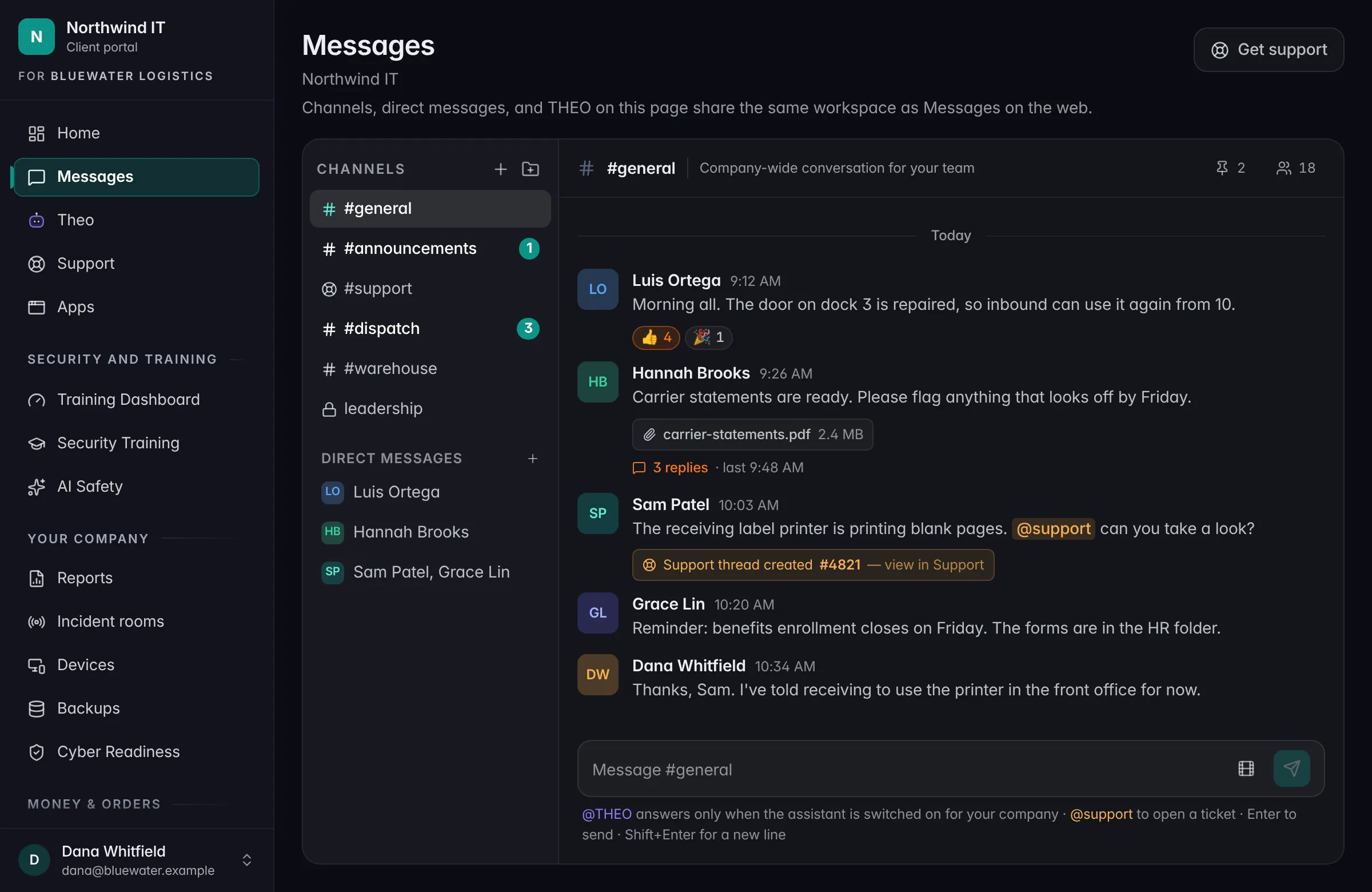
Messages. Chat for your own staff.
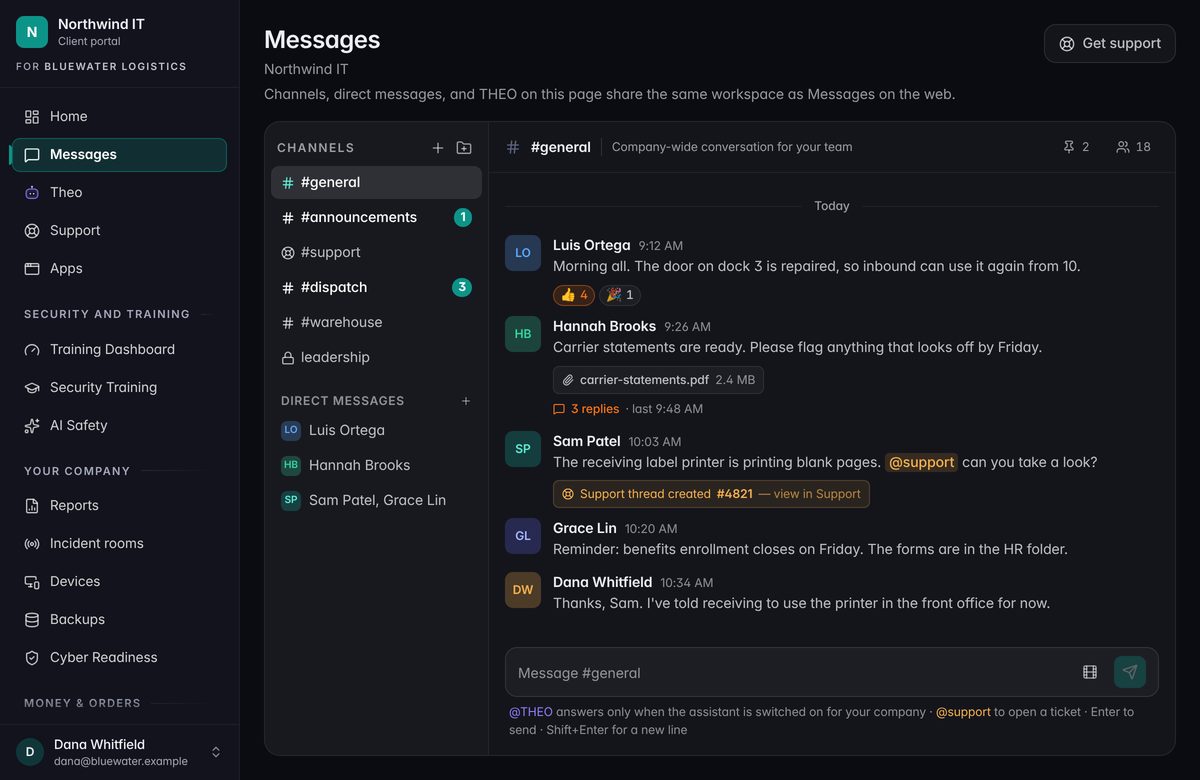
Channels, private channels, direct messages, and threads for your own people. Type @support in a conversation and it opens a ticket with us. Messages is included, and it’s free.
Coming soonMessages is still being finished, so it isn’t on the list above yet.
Keep going
Talk to a person
Want an add-on switched on?
Call, or book a time. Tell us which one and what you’d use it for.