
Help that doesn’t talk down to you.
We get you working again and tell you what happened, in words you’d use yourself. Ask the same question twice if you need to. That’s what we’re here for.
What to expect
A fast answer, a plain answer, and a fix that holds.
- Fast, smart triage
Requests get sorted quickly and sent to the right person, so yours doesn’t sit in a queue for days.
THEO, our AI, is live and available today. It works beside our technicians on a ticket, sorts every request the moment it arrives, and gets a start on the routine ones.
- Plain English
You hear what happened and what we changed. No jargon, and nobody makes you feel stupid for asking.
- Fixed once
We’d rather do it right the first time than come back next week for the same problem.
- On site when it needs hands
Some jobs can’t be done from a keyboard across town. We have an onsite team for those.
Reach the help desk
Three ways in.
Use whichever is fastest for you. They all land with the same team.
- Call(317) 936-3300
Talk it through with a person.
- Email[email protected]
Write it down once. Add a screenshot if you have one.
- Client Portalportal.jpthegeek.com
For clients. Send a request and follow it to the finish.
Live nowChat with THEO at any hour.
Coming very soonText us.
The other side of your ticket
What our team sees. All of it, in one place.
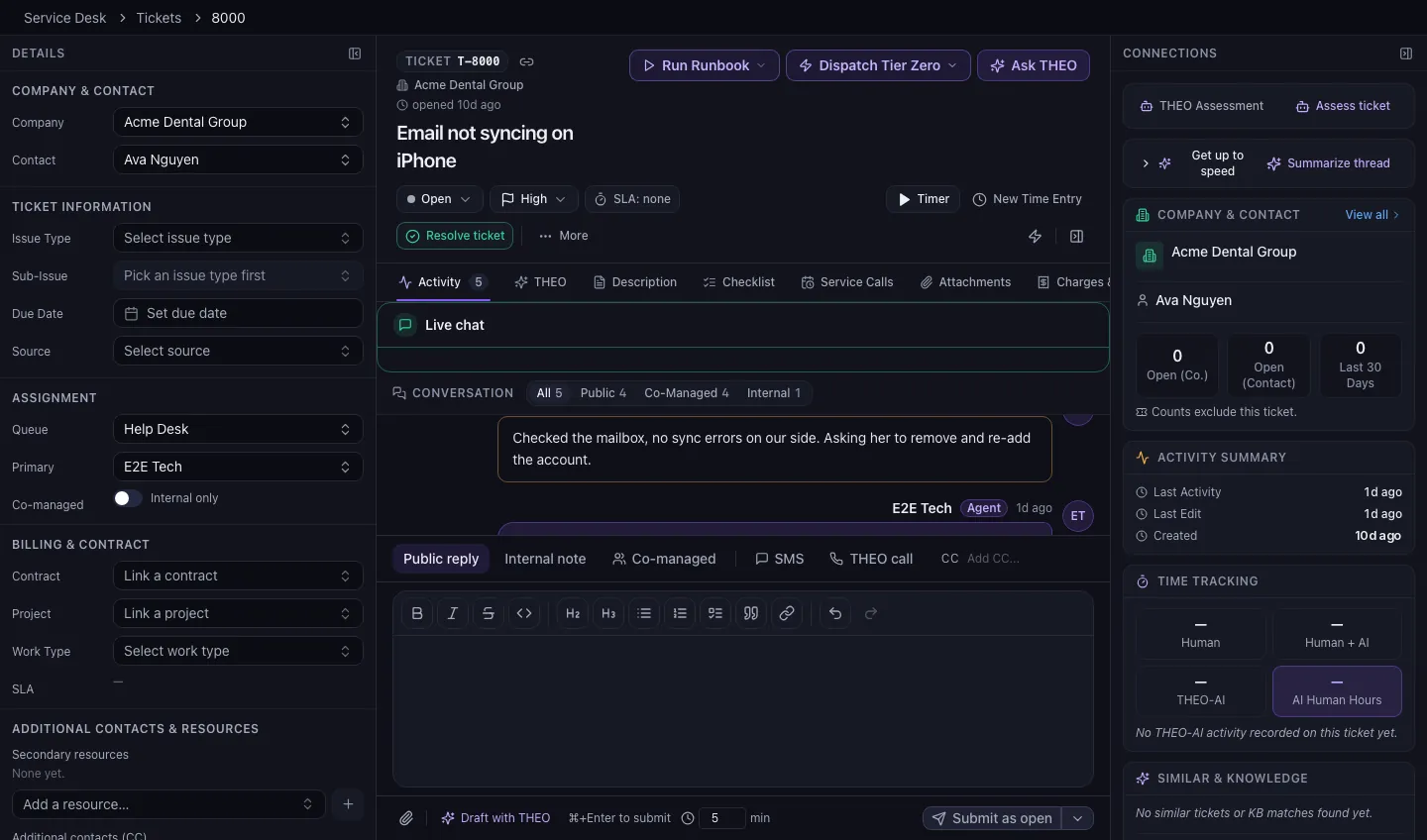
Every request becomes a ticket, and nobody has to go hunting for the rest of the story.
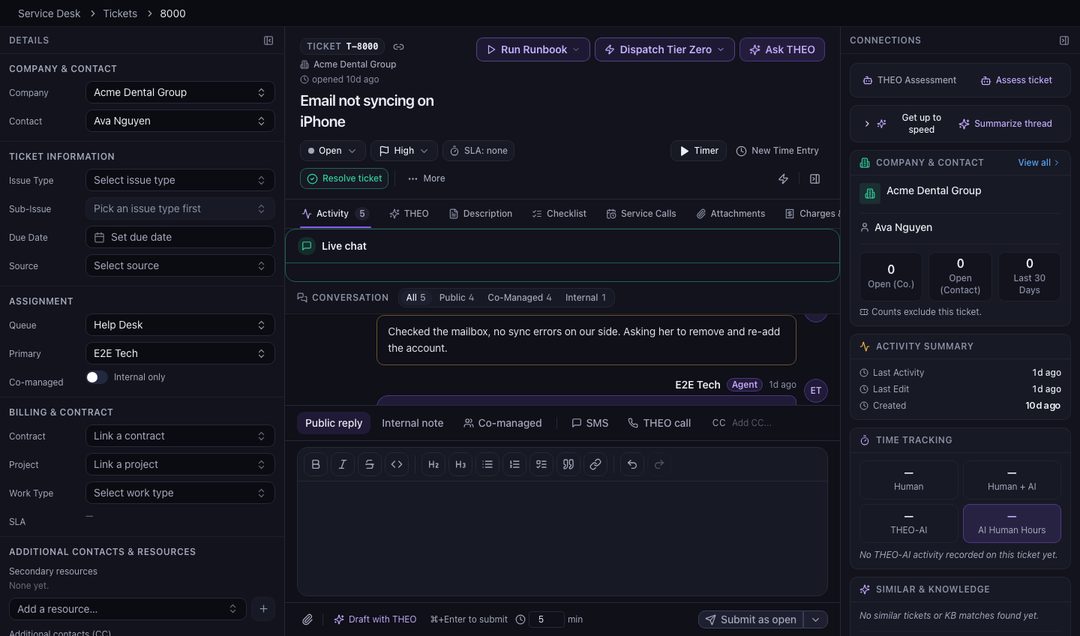
The whole conversation
Every message, note, and change sits in order on the ticket, so the next person to pick it up doesn’t ask you to start over.
Your history beside it
The technician can see your company’s recent tickets and who they’re talking to, without leaving the page.
THEO within reach
From the reply box, a technician can ask THEO about the ticket, run a runbook, or have THEO draft a reply. A person reads it before it’s sent.
Nothing gets lost
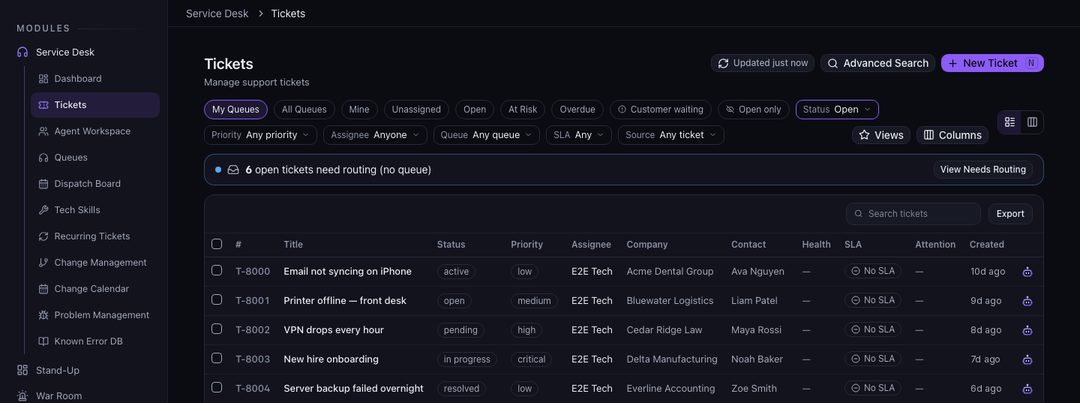
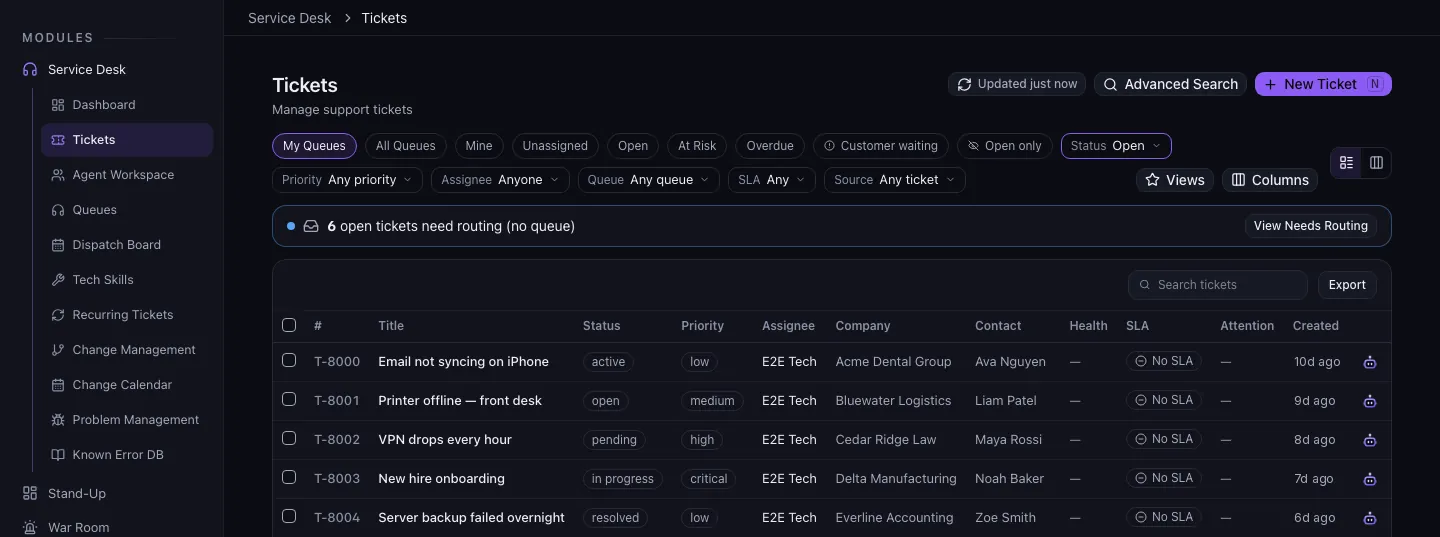
One list, sorted by what matters.
Open tickets sit in one list with their status, priority, and the technician who has each one. If yours is waiting on someone, that’s visible to the whole team.
Before you hit send
Four things that get you a faster fix.
None of this is required. All of it helps.
- What you were doing. And what happened instead.
- The exact words of any error. A screenshot is even better.
- Who it affects. Only you, or the whole office?
- How urgent it is. If you can’t work, say so first.
In their words
“I can’t say enough how much I appreciate the kindness and PATIENCE in helping resolve all my issues. THANK YOU.”
“Always prompt and great service. It’s always easy for me to understand.”
“Speedy and thorough support!”
Keep going
Talk to a person
Tell us what’s slowing you down.
Call, or book a time and we’ll call you. Either way you talk with someone who can answer the question.