
Email, calendar, and files. One license.
Workspace is business email, calendar, contacts, and files, looked after by the people who look after the rest of your IT. It isn’t open yet. Join the list and we’ll tell you when it is.
What’s in it
What your people open every morning.
One sign-in, one place to look, and one company to call when something is off.
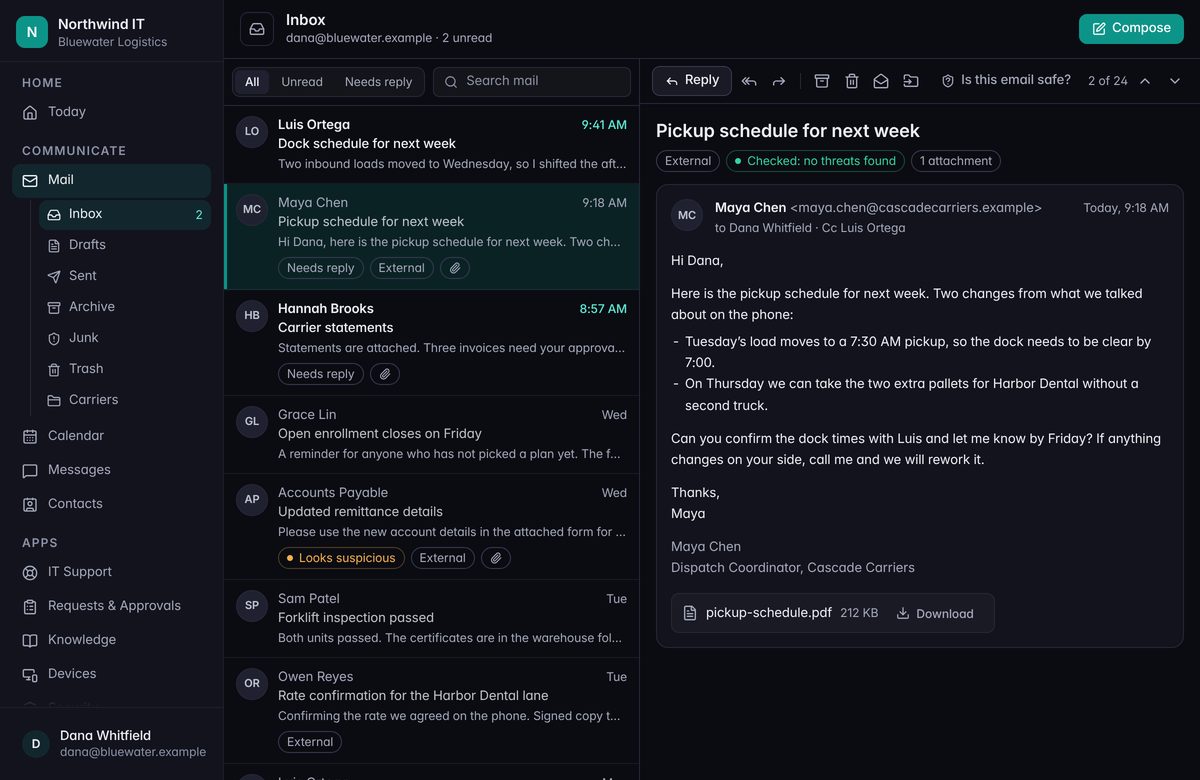
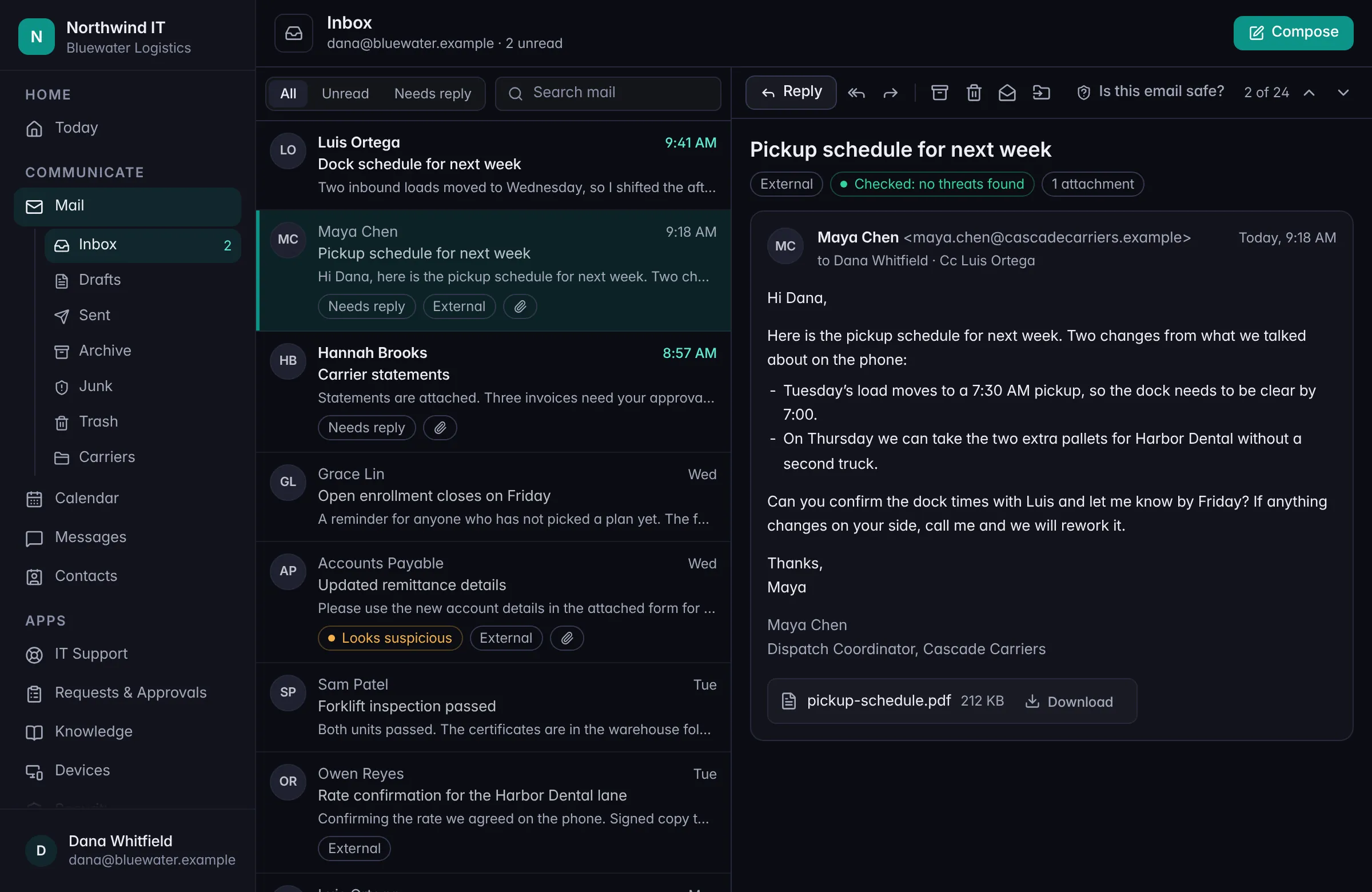
Business email
Mail on your own domain, with shared mailboxes, aliases, and lists. Your address stays the same when you move in.
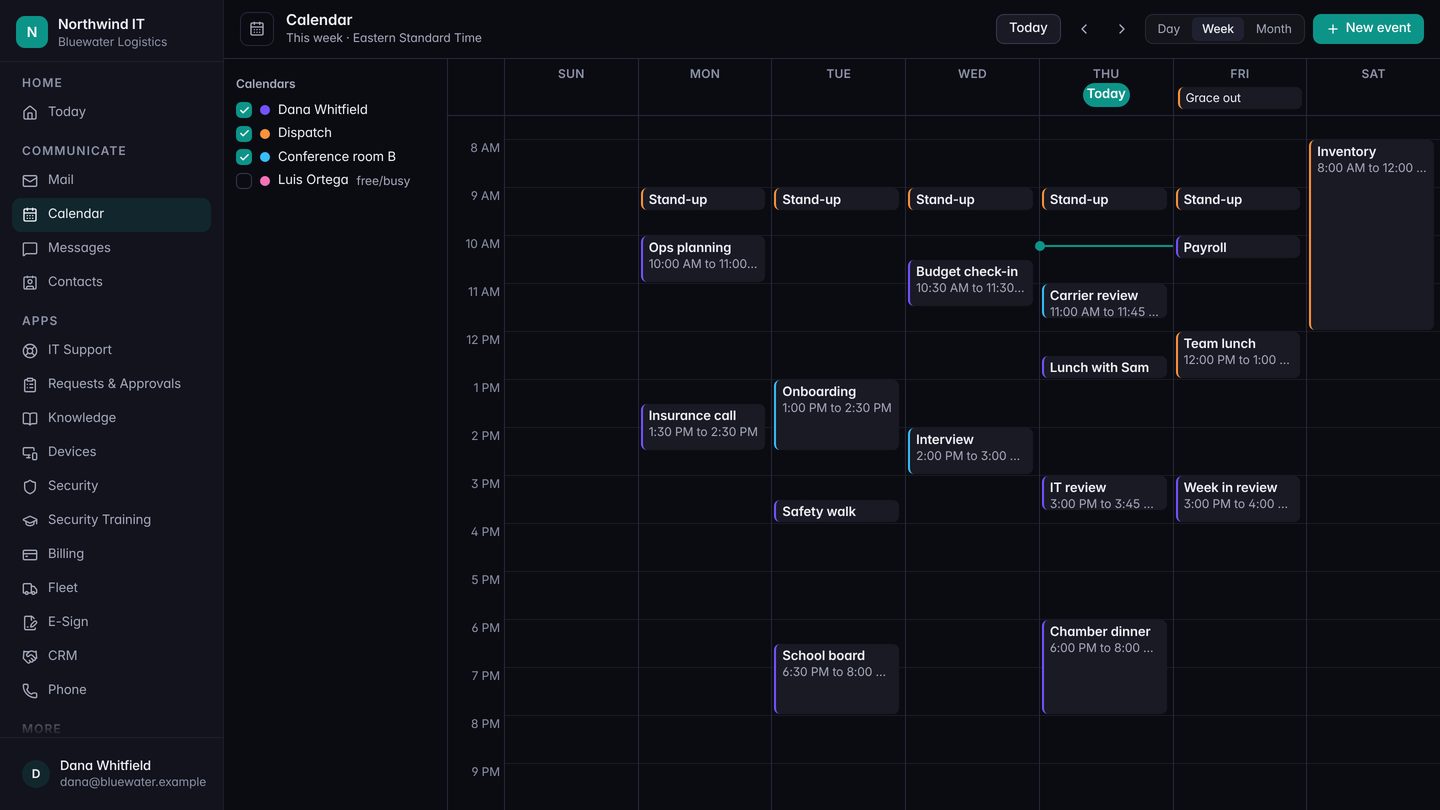
Calendar
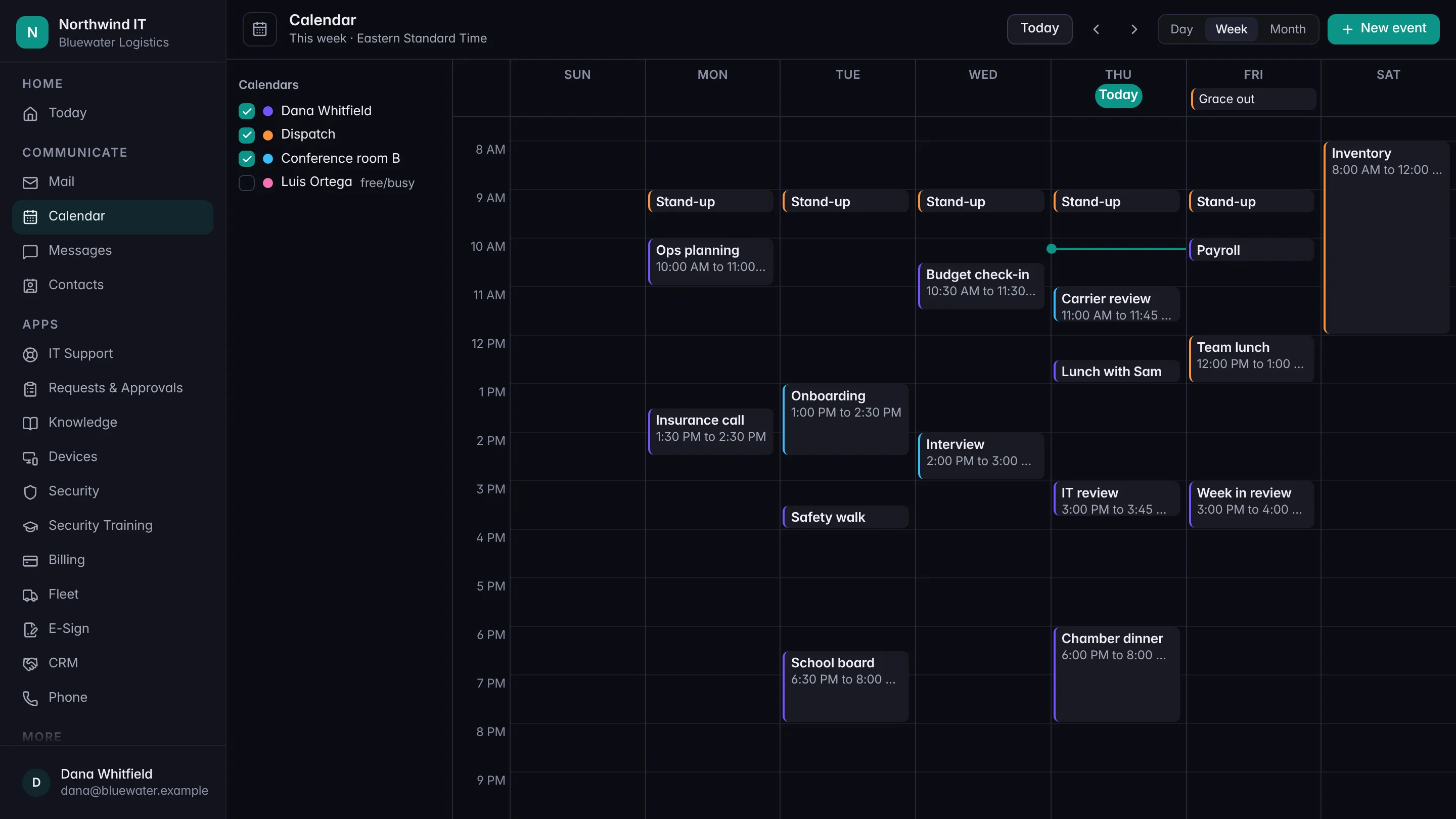
Meetings, repeating events, invitations, and shared calendars. See who’s free before you ask, and book the room with the meeting.
Contacts
Your own address books, plus a company directory everyone can look people up in.
Files
Company files with folders, sharing, and earlier versions to go back to. Included with every license.
Webmail
All of it in a browser: folders, search, drafts, rules, automatic replies, and a moment to take back a message you just sent.
Admin console
One place for your admin to add people, hand out licenses, set up groups and shared mailboxes, and see who signed in.
Desktop and mobile apps
Apps for your computer and your phone, so mail and calendar aren’t tied to a browser tab.
When someone leaves
Block the sign-in, then decide what happens to the mailbox: share it, forward it, keep it, or export it. Each step is recorded.
One license
One per person. Files included.
No bundles to compare and no add-on for the part you assumed was in there.
- One license for each person with a mailbox. It covers mail, calendar, contacts, and files.
- Shared mailboxes don’t need one. Neither does a meeting room.
- No price yet. We’ll publish it when Workspace opens, and not before.
Security
Designed with HIPAA’s safeguards in mind.
That’s a design goal, not a compliance claim, and we’ll keep saying so until it has been proven. Here’s what it means in practice.
Scanned before the inbox
Mail sent to a Workspace address is checked before it’s delivered, not after.
“Is this email safe?”
A button beside the message. The answer comes back in plain words: looks safe, be careful, or likely unsafe.
Quarantine and message trace
Held mail your admin can review and release, and a way to find out what happened to a message that never showed up.
Sign-in protection
Two-step sign-in, a sign-in log, and a list of the devices connected to each account.
Your mail stays yours
Our staff can open a mailbox only through access your company has granted, and it’s recorded when they do.
Retention
How long mail is kept is a setting your admin and we agree on, not an accident.
For your admin
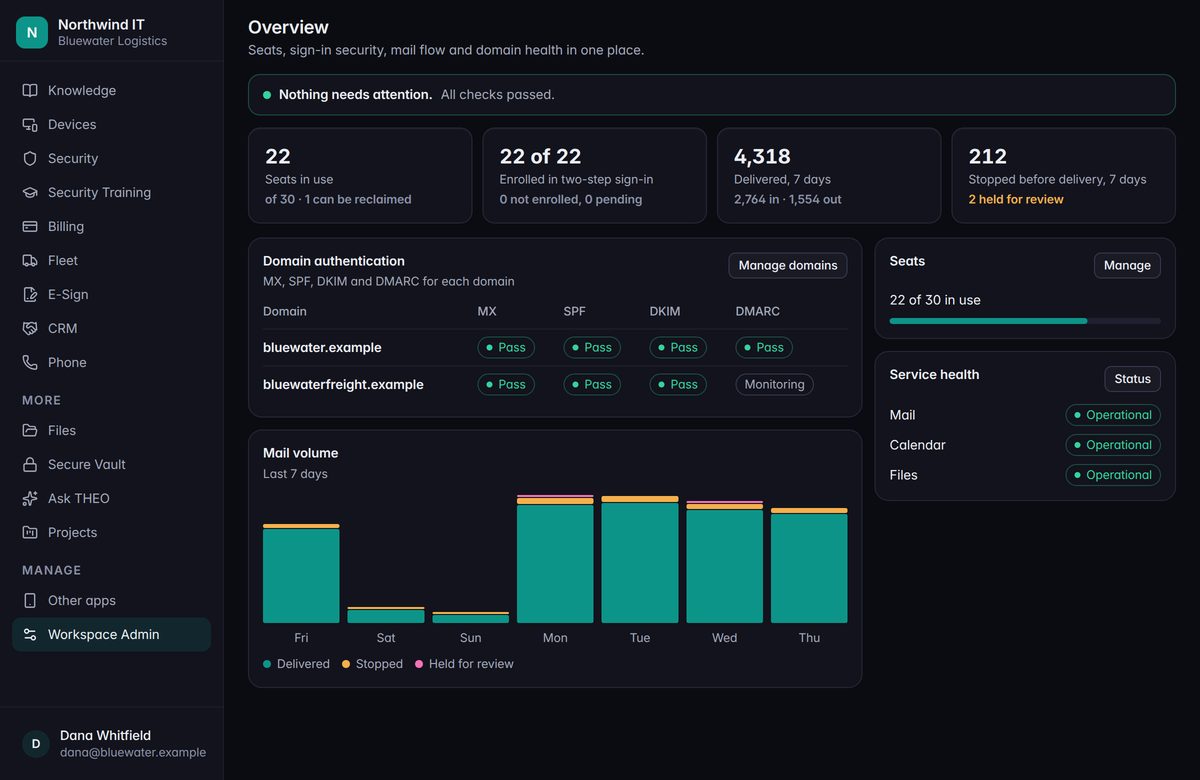
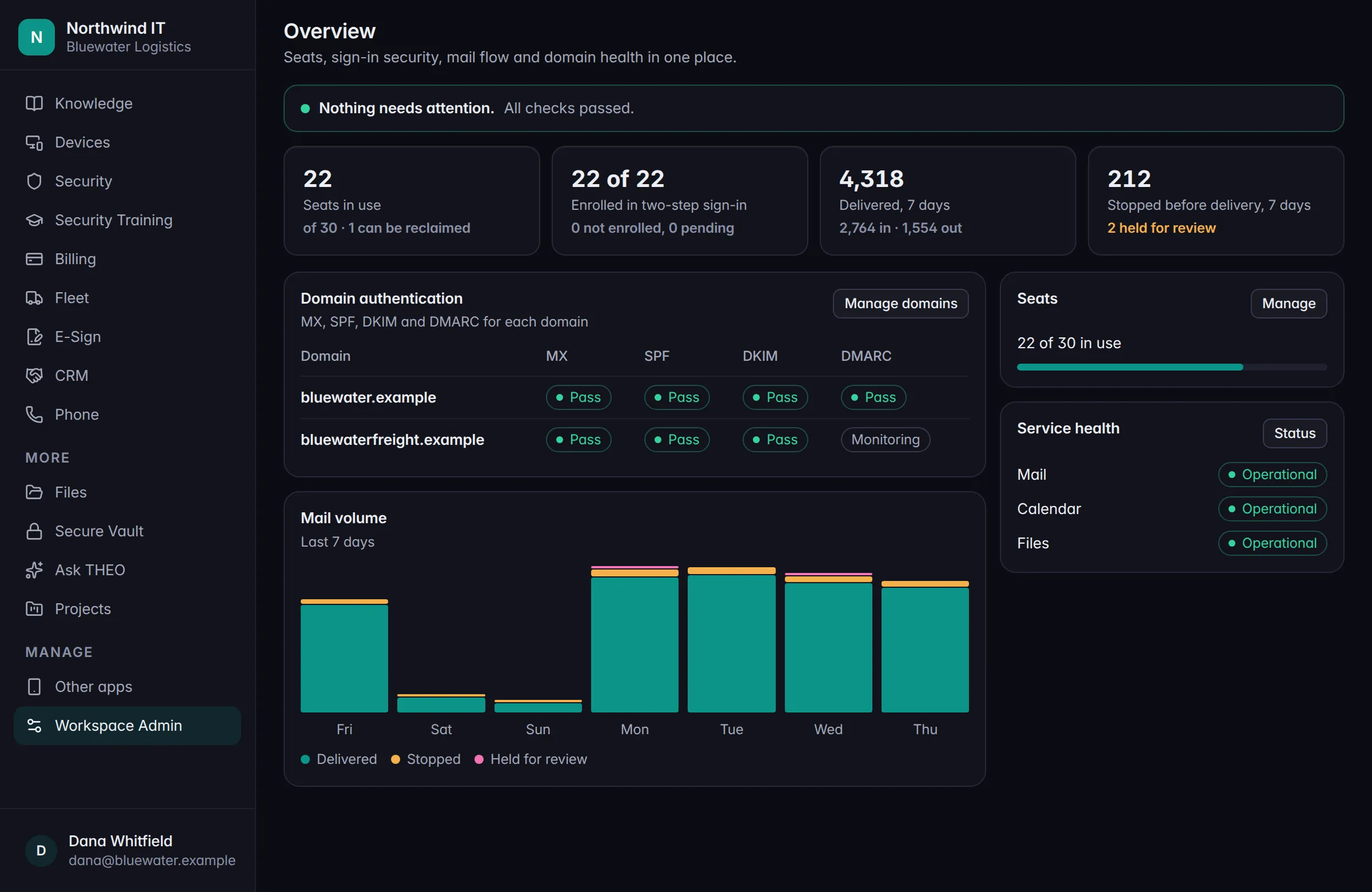
The whole picture, on one page.
Seats in use, who has two-step sign-in set up, how much mail arrived, and how much was stopped before it reached anyone.
Each of your domains shows whether its mail checks pass.
What comes after
Mail, calendar, and files first. Documents later.
Editing documents, spreadsheets, and slides inside Workspace comes after the first release. We’d rather get mail, calendar, and files right first.
The list
Hear when it opens.
Tell us you’re interested and we’ll get in touch when Workspace is ready for its first companies. There’s nothing to pay and nothing to sign.
Until then
Stay where you are.
We look after Microsoft 365 and Google Workspace today, and that doesn’t change.
Keep going
Talk to a person
Curious about Workspace?
Join the list, or call and ask. We’ll tell you where it stands.