
Phones that aren’t a separate problem.
Voice is a full cloud phone system, and it is live and available today: calling, texting, voicemail, menus, queues, and fax. The people who look after your computers look after it too, so a phone problem is one call, to us.
What’s in it
A whole phone system. Nothing bolted on.
Everything a business line has to do, in one system, with one company to call about it.
Calling
Calls in and out on your business number, with an extension for each person.
Texting
SMS and picture messages from the business number, not from someone’s personal phone.
Voicemail to email
A new voicemail lands in your inbox with the recording attached, and with a written transcript when transcription is on.
Menus
“Press 1 for sales.” A greeting, then a choice for each key: a person, a queue, a voicemail box, another menu, or an outside number.
Queues
Callers wait with hold music while the call rings the people who can take it. If nobody can, it moves on to another queue, to voicemail, or to an outside number.
Call recording
Calls can be recorded when you need a record of them. We set that up with you.
Fax
Yes, still. A fax sent to your number arrives in an inbox, not on a machine in the corner.
Emergency calling
E911, with a dispatchable location. Each number has an emergency address on file, down to the building, floor, or suite. A number isn’t switched on for calling until it has one.
Call to ticket
A call, or a missed one, can open a ticket by itself, so it gets followed up.
On the Voice AI plan
THEO can answer the phone.
The Voice AI plan adds an AI receptionist, and a written summary after a call.
Rolling out
- It answers. On the numbers we set up for it, THEO picks up, finds out what the caller needs, takes a message, and sends the call to the right extension.
- It knows where it stops. If THEO can’t help, the call goes to your normal menu or to voicemail. It never handles an emergency call.
- It writes it down. After a call, a written summary, so nobody has to listen back to find out what was said.
- It’s set up one number at a time. Being on the Voice AI plan doesn’t put THEO on every line by itself. You choose which numbers it answers.
Rolling out
The Phone app
Your phone, in your Client Portal.
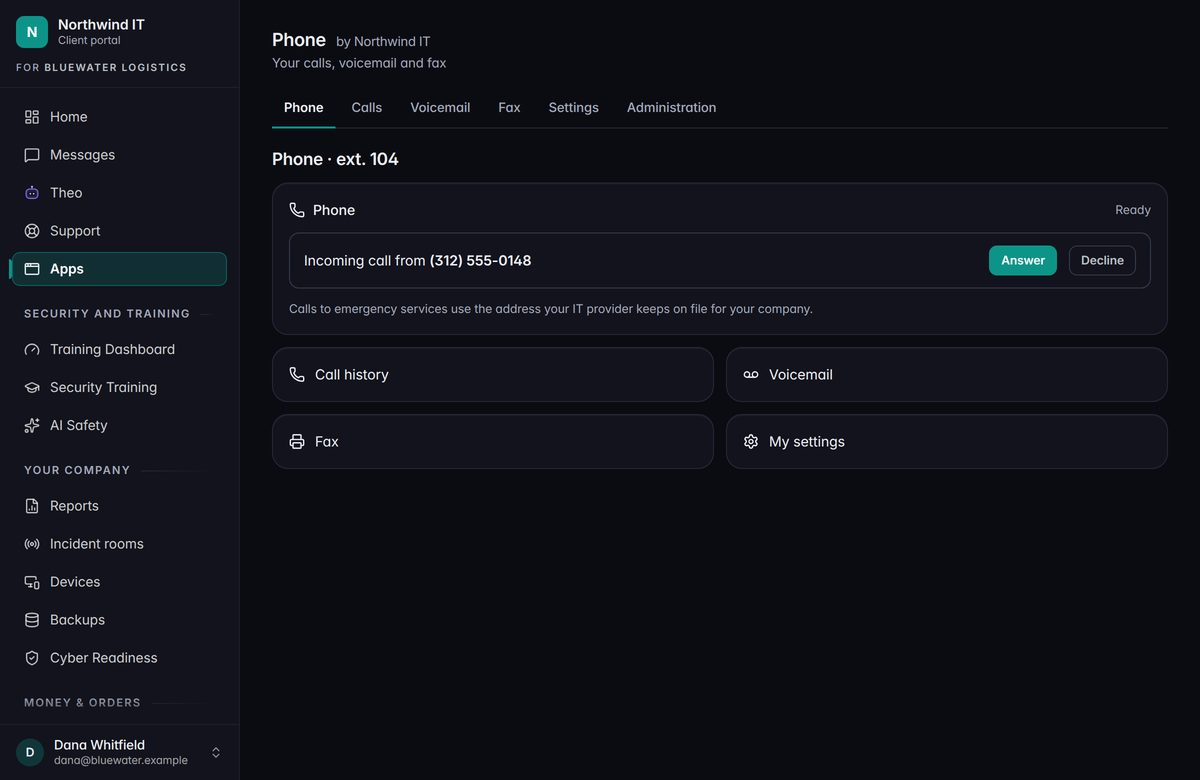
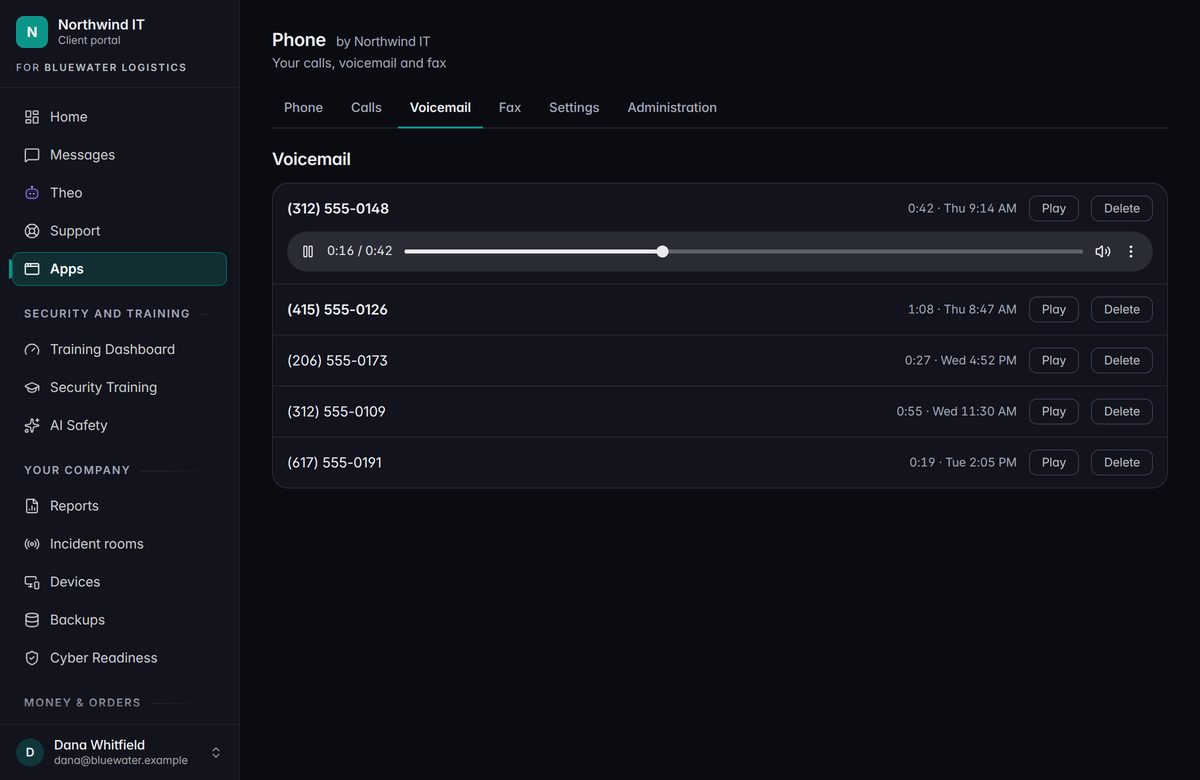
Each person with a line gets a Phone page in the portal. It needs a browser and a headset, and nothing else.
- Call from your browser
A softphone on the page. Type a number and press Call. Answer or decline what comes in, mute, and hang up.
- Call history
The calls you’ve placed and taken on your line: who, when, and how long.
- Voicemail
New messages left on your line, to play or delete.
- Fax inbox
Faxes sent to your number, to open and read. Sending a fax from the app isn’t available yet.
- Your settings
Whether voicemail picks up when you don’t, and which greeting callers hear: the standard one, or your own words read aloud.
- For your phone admin
Rename extensions, switch voicemail on or off for each one, and see which numbers ring where.
Forwarding, caller ID, and emergency addresses are set by us, with you.
Two plans
With the AI, or without.
No prices are printed here. Tell us how many people and numbers you have, and we’ll quote it.
Voice Essentials
The phone system: calling, texting, voicemail, menus, and queues. Voicemail transcription can be added.
Voice AI
Everything in Essentials, plus the AI receptionist on the numbers you choose. Voicemail transcription is included.
Keep going
Talk to a person
Thinking about your phones?
Book a call. Tell us how many people and numbers you have, and we’ll tell you what a move would look like.