
A copy, and a way back.
A backup only matters on the day you need to restore. We back up your Microsoft 365 or Google Workspace, your computers, and your servers to locked, encrypted copies, and we do the recovery work when that day comes.
What’s covered
Three places your work lives.
Most of what a business can’t lose sits in one of three places. Each one is backed up for what it is.
Early rolloutBackup is in early rollout. It’s opening to clients a few at a time.
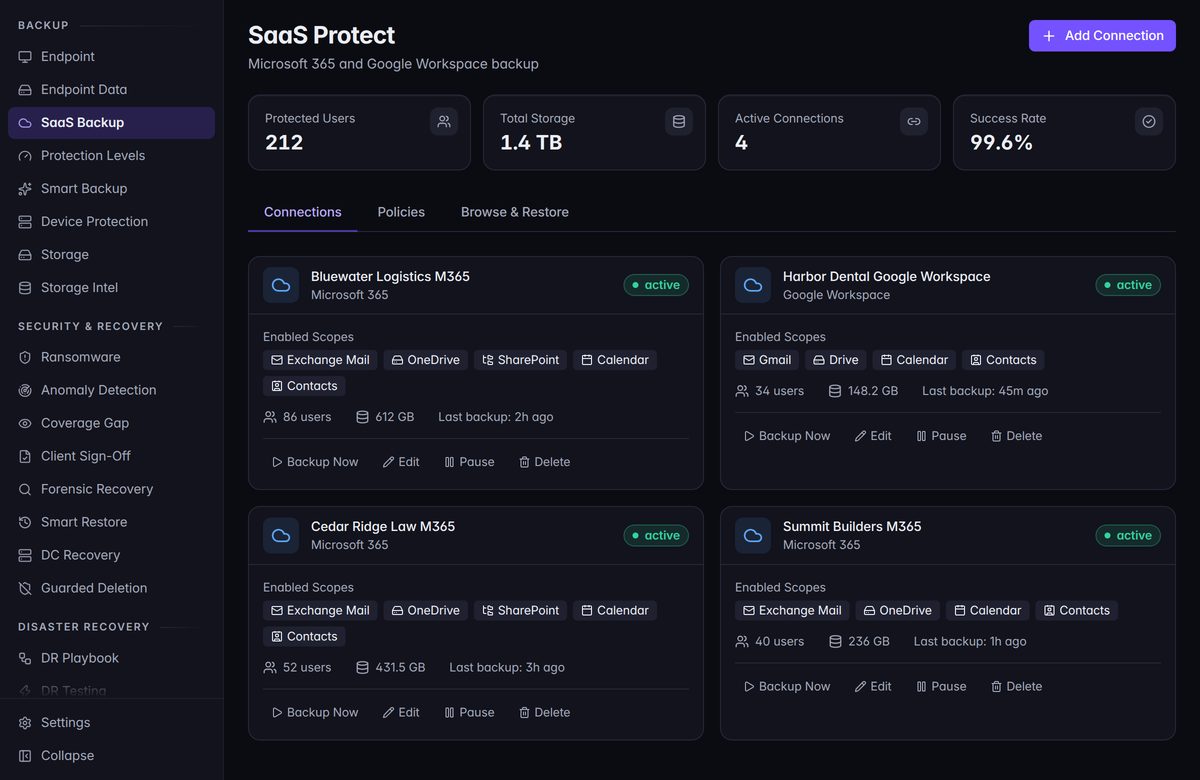
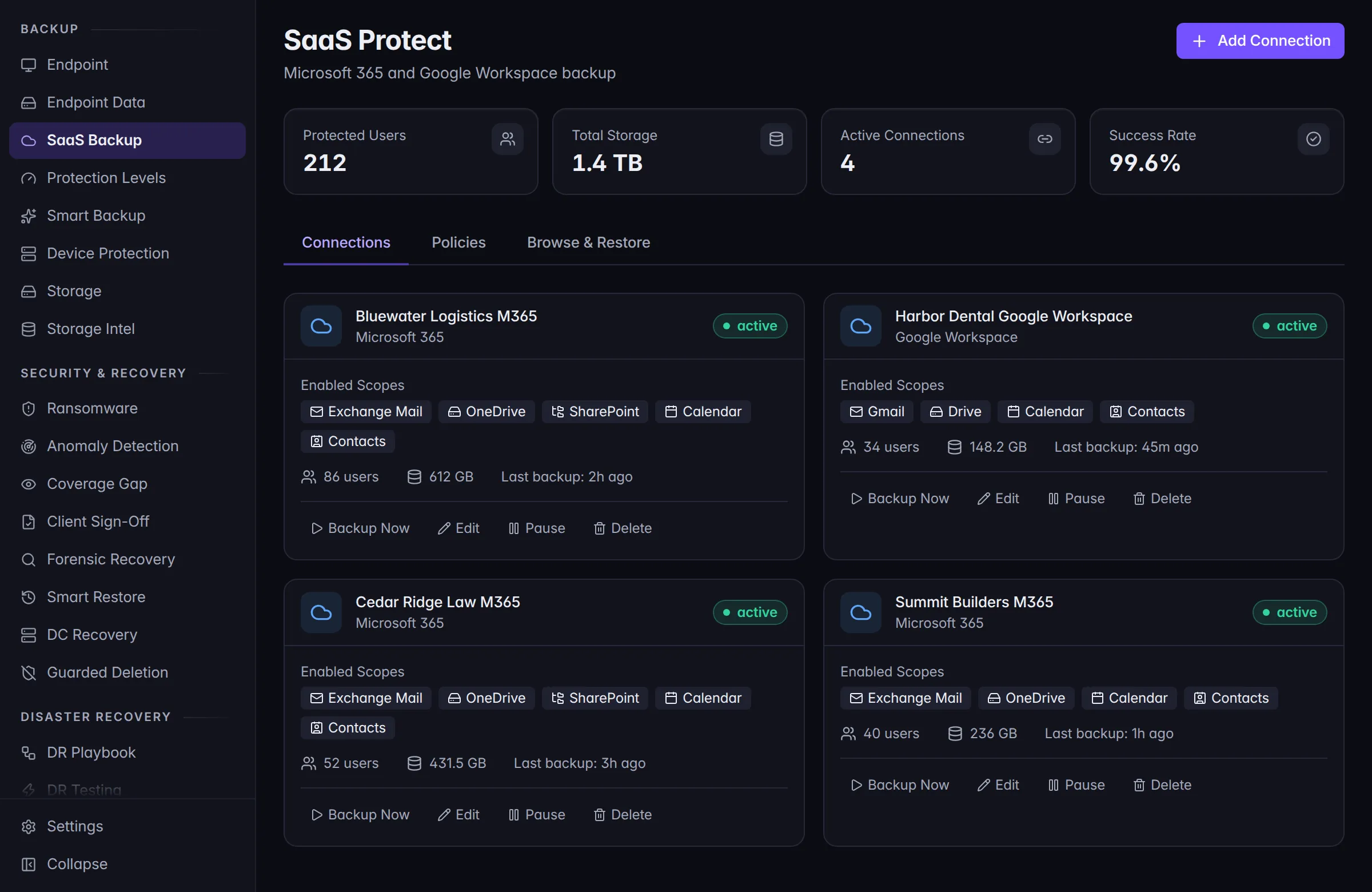
- Microsoft 365
Mail, OneDrive, calendars, contacts, and SharePoint.
- Google Workspace
Gmail, Drive and shared drives, calendars, and contacts.
- Computers and servers
Files and folders on Windows, Mac, and Linux. SQL Server databases, after a one-time setup. Active Directory, with a recovery our technicians guide.
Backing up a computer or a server needs Defend installed on it.
That’s the whole list today. If something you rely on isn’t on it, don’t assume it’s covered. Ask us, and we’ll tell you straight.
Getting it back
A restore is a request. We do the work.
Your admin asks, by calling us or opening a request. A person on our team checks it, runs the restore, and tells you when it’s done.
Microsoft 365 mail and OneDrive
Straight back into the account it came from. What’s missing is put back, and what’s there today is left alone.
The rest of Microsoft 365
Calendars, contacts, and SharePoint come back as an export, for now.
Google Workspace
An export you download, for now.
Files on a computer or server
Recovered files arrive in a separate folder, never over the top of the live ones, so you can check them first.
A whole machine
Restored to a new virtual machine, so you’re not waiting on replacement hardware to see your data again.
SQL Server and Active Directory
Guided by a technician, step by step. These are the restores you don’t want to improvise.
On screen
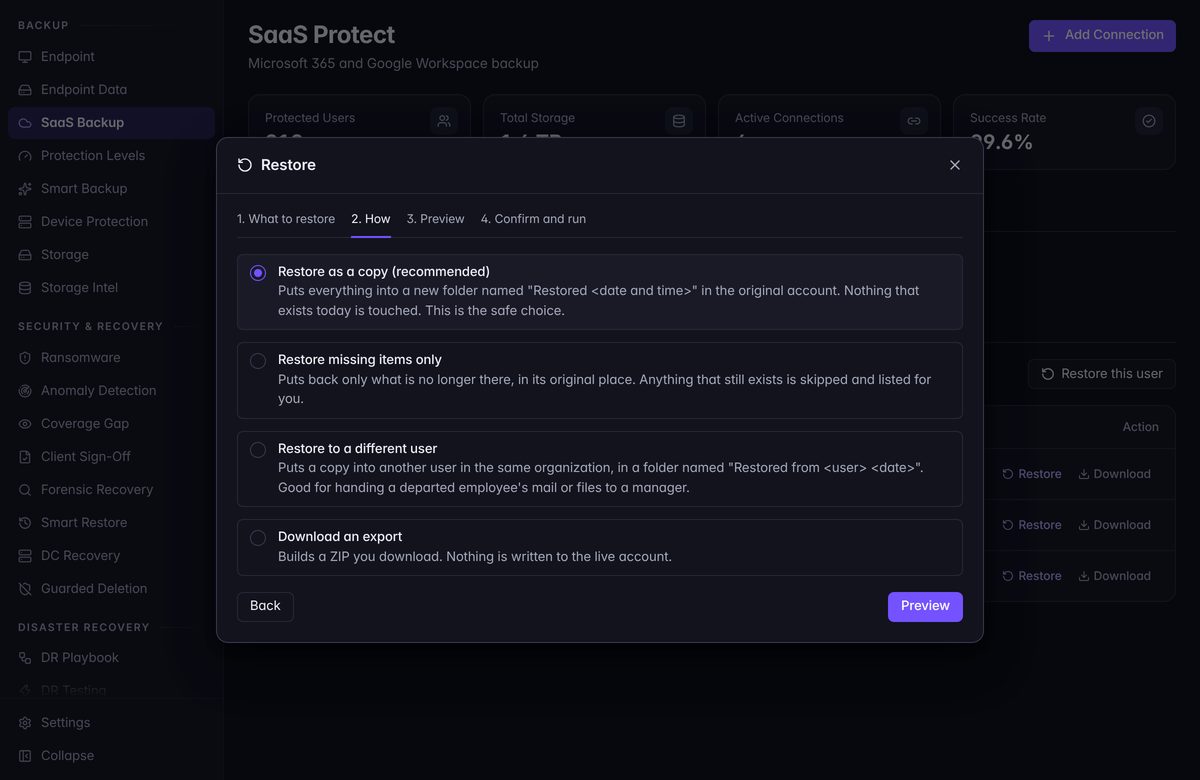
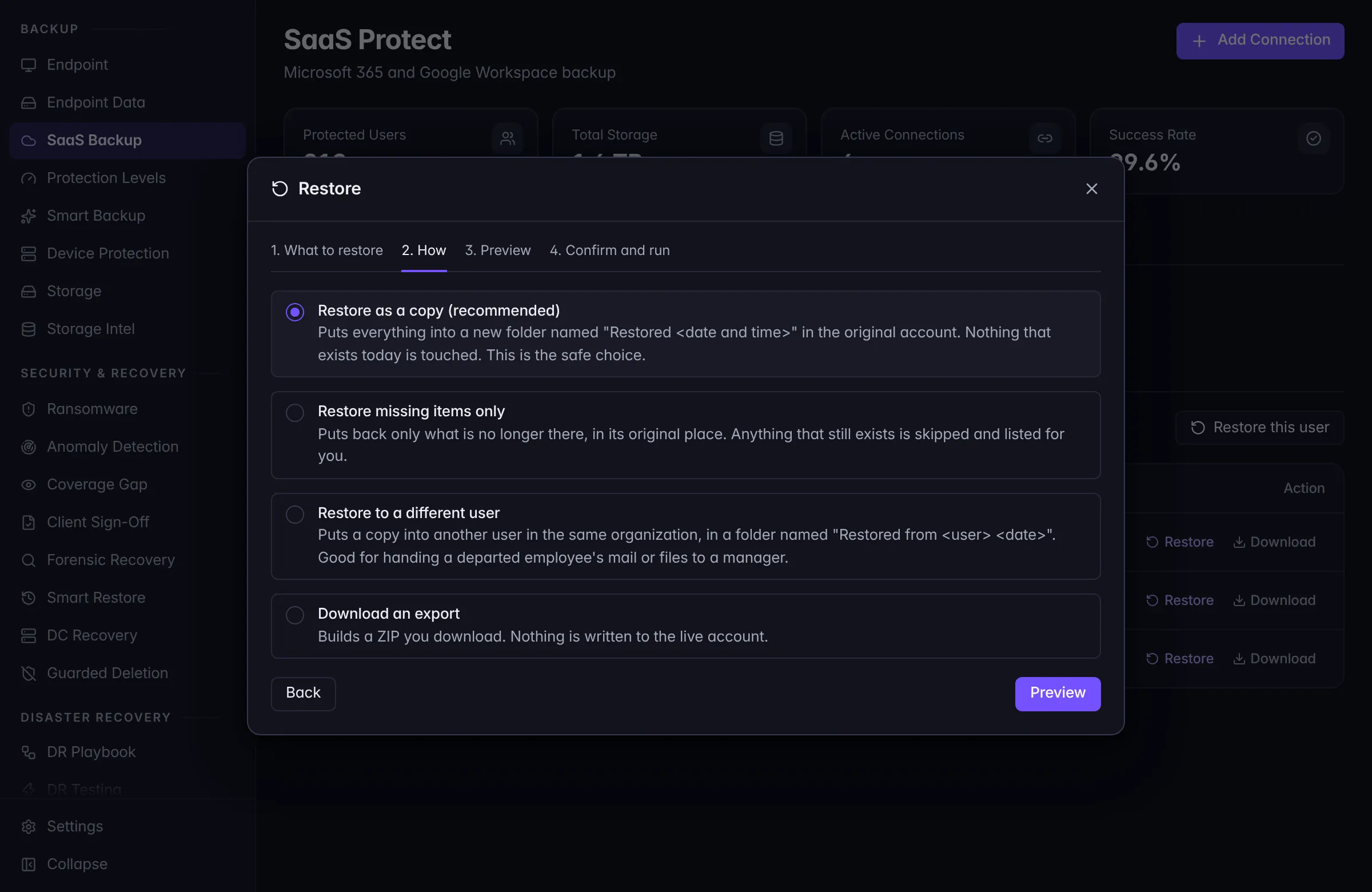
Nothing comes back until someone has chosen how.
Before a cloud restore runs, our technician picks how it lands. The recommended way puts everything in a new folder and leaves what’s there today alone.
Then a preview shows what the restore would do, before anything changes.
Locked and encrypted
Copies nobody can tamper with.
The first thing an attacker goes looking for is the backup. So the copies are built to be left alone.
- Locked. Backup copies are immutable. Once a copy is locked, it can’t be changed or deleted until the lock ends.
- Encrypted. Backups are encrypted before they’re stored, and each client’s are kept apart from every other client’s.
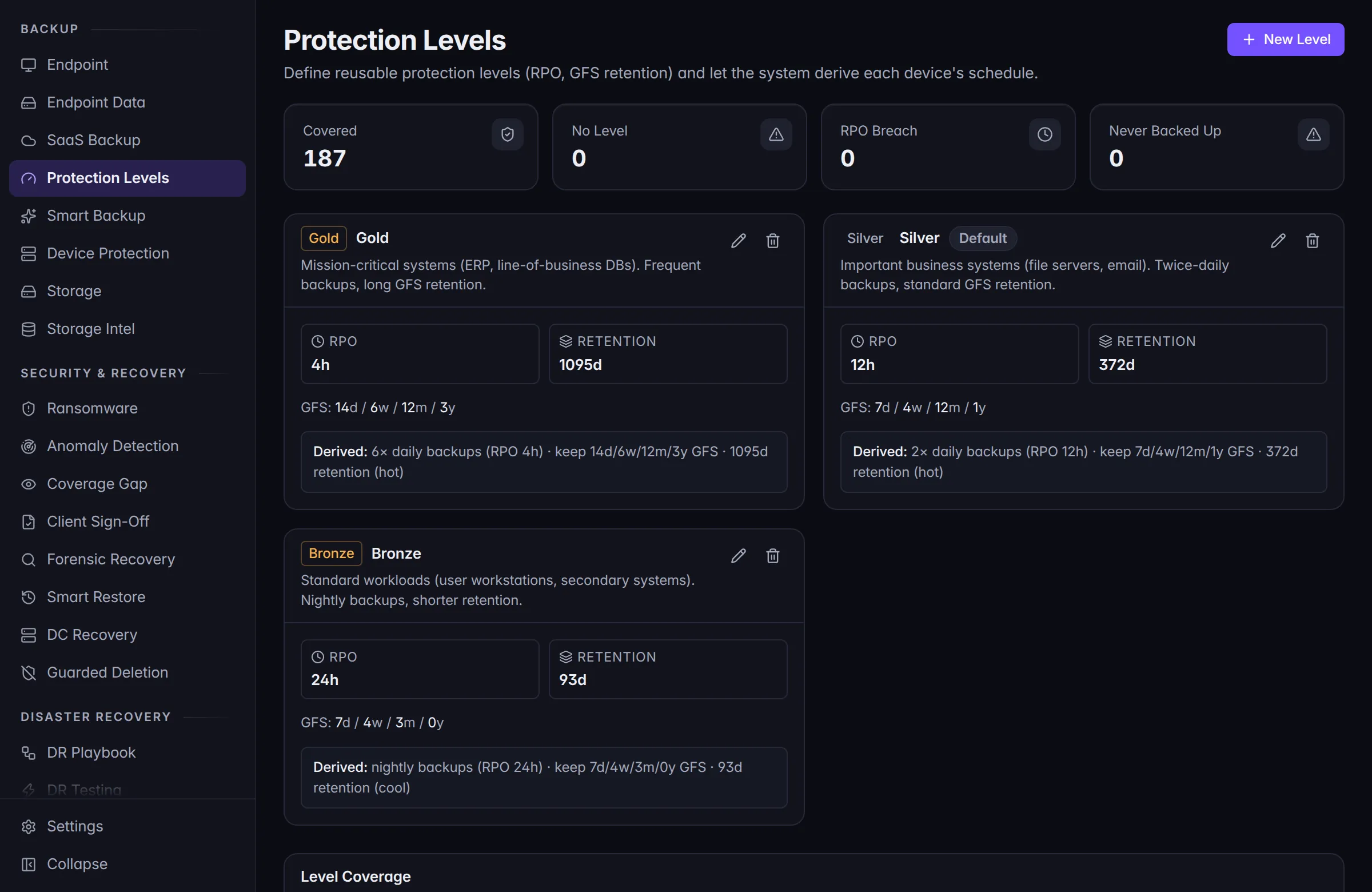
Three levels of protection
Gold, Silver, and Bronze.
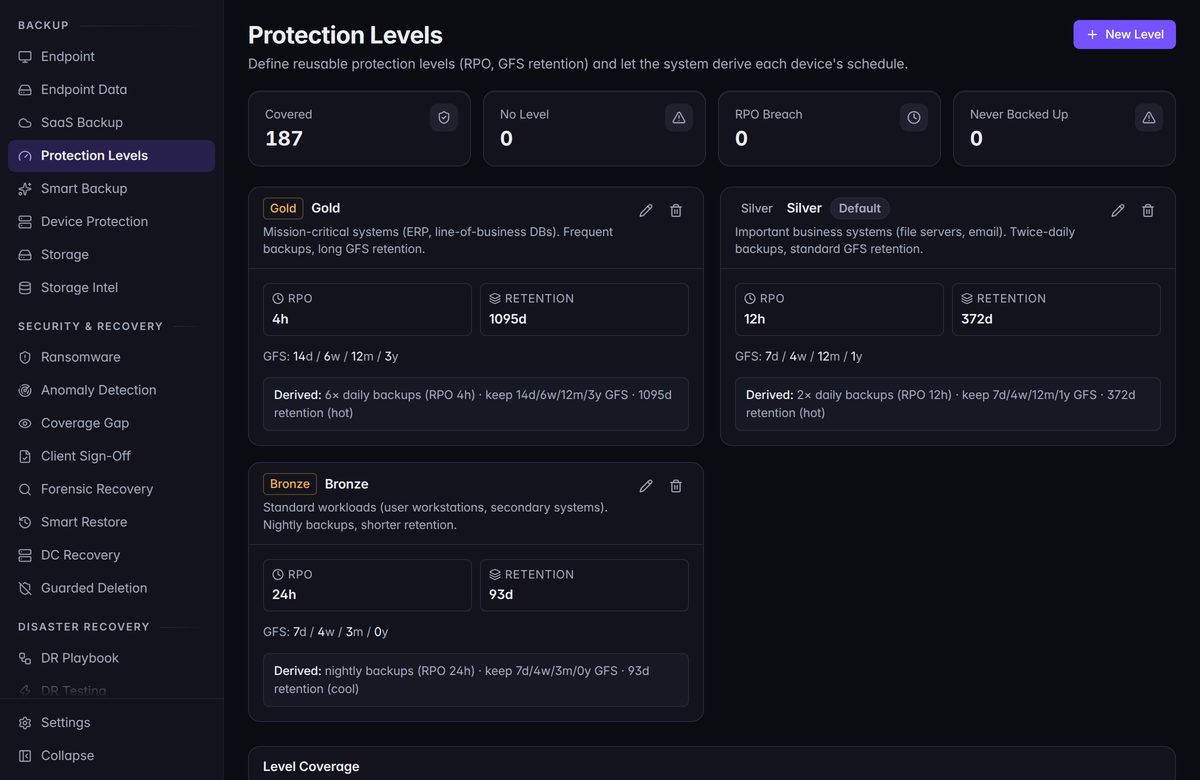
- Gold. For the systems you can’t run without. Backed up most often, and kept the longest.
- Silver. For important everyday systems, like file servers and email. Where most things start.
- Bronze. For standard computers and secondary systems. A lighter schedule, kept for less time.
Each level sets two things: how often backups run, and how long copies are kept. We agree a level for each system with you, and the numbers that go with it. The ones in the picture are examples.
Watched
A backup that stopped is worse than none.
Because you think you’re covered.
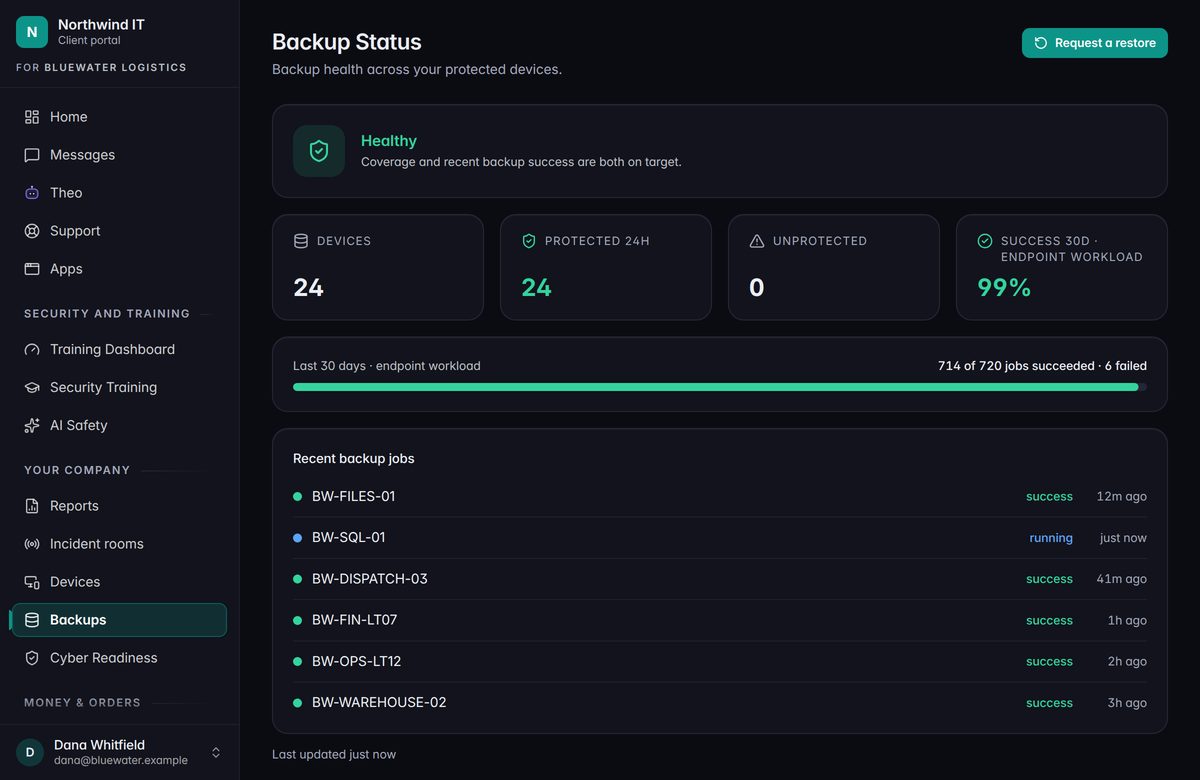
- A missed or failed backup raises its hand. It opens an alert and a ticket by itself, so someone looks into it.
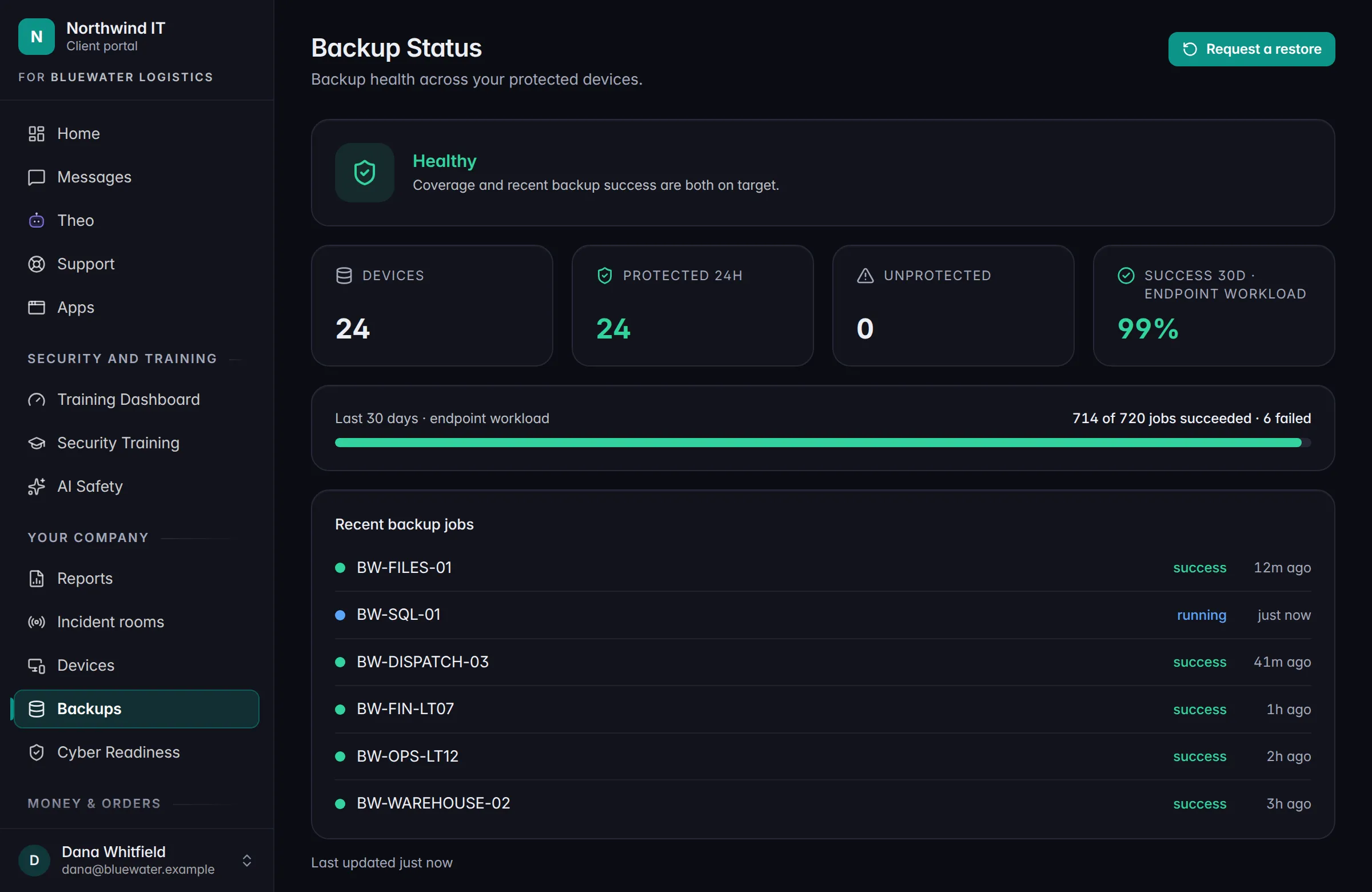
- You can see it too. As backup rolls out to your account, the Client Portal shows backup health: which devices are protected, and how recent jobs went. Your admin can ask for a restore from the same page.
Coming soonMonitoring for the backups you already run in Veeam or Datto.
When it earns its keep
Three days you’ll be glad it’s there.
- Someone deleted the wrong folder. The most common one, and usually the quickest to put right.
- A laptop died or went missing. The files come back on the replacement.
- Something got locked up or scrambled. We go back to a copy from before it happened.
Keep going
Talk to a person
Tell us what’s slowing you down.
Call, or book a time and we’ll call you. Either way you talk with someone who can answer the question.